Planning
How to Organize a Reusable Gym Routine
Turn a routine you already follow into recognizable saved workouts. Keep planned sets, calendar dates, and completed workout records clear.
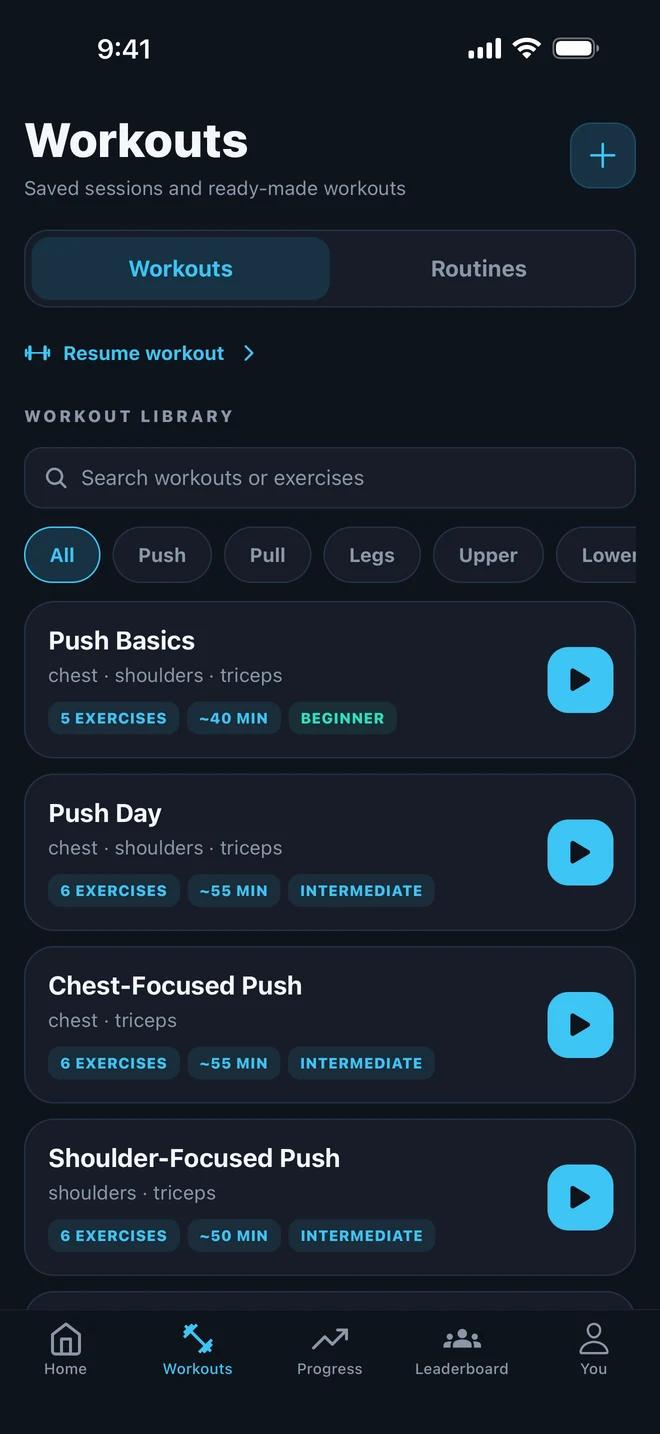
A reusable routine should make it easy to open the right session and understand what you intended to do. It does not need a complicated naming system. It needs recognizable workouts, clear exercise entries, and a distinction between the plan and the work you completed.
This guide is about organizing a routine you have already chosen. It does not prescribe which exercises, weights, or training frequency you should use.
Separate the routine from its sessions
Think of the routine as the collection and arrangement of your workouts. A workout is one session within it. A completed workout is the record of what happened on a particular date.
For example, a routine might contain two saved sessions called “Session A — gym” and “Session B — gym.” Those labels can stay the same each time you use them. The date belongs to the completed workout record, so you can distinguish different visits without creating a new template name every time.
Avoid names such as “New workout 3” when a short descriptive name would help you recognize the session. If equipment changes the workout substantially, include that context in the name.
Turn an existing outline into clear entries
Suppose your notes already contain this fictional outline:
- Session A: Barbell Row, followed by the other exercises in your chosen plan.
- Barbell Row: three planned sets, with a target of ten reps per set.
- Session B: a different list of exercises that you already follow.
The useful organizational change is to turn “row 3 × 10” into a recognizable exercise entry with three separate sets. That gives you a place to record different results for each set later. The example illustrates the structure of a record; it is not a recommendation to follow those exercises or targets.
Keep the exercise variant specific. “Barbell Row” is easier to distinguish from “Seated Cable Row” than a generic entry called “Back.” Equipment and movement names help you find the intended exercise again.
Save the workout in Gymr
Open Workouts and use the add control to create a workout. Give it a recognizable name, add the exercises from your existing plan, and set up their planned sets. Review the entries before saving. The current app supports saved workouts; the number available depends on your plan.
When you return to Workouts, check that you can find the saved session and recognize its exercise list. If you prefer a starting point, you can also browse the workout and routine library. Treat the library as an option to explore, rather than assuming every routine matches your needs.
The Gymr workout planner page shows the library and explains how saved workouts and scheduled sessions fit together.
Keep dates separate from completion
Once the session is organized, you can decide where it belongs in your calendar. A future scheduled session is still a plan. Moving or missing it should not be confused with completing the workout.
When you train, record the sets you actually finish. In the fictional example, the plan could say ten reps for all three sets while the completed record says ten, ten, and eight. The completed log should preserve that difference.
This makes the saved workout reusable without pretending that every session went exactly to plan. See how workout logging works for the recording side of the workflow.
Check the routine before reusing it
- Can you identify each saved session without opening several similar names?
- Do the exercise entries distinguish the equipment and variants you use?
- Are the planned sets clear enough to follow?
- Do completed workouts record actual reps and weights, including changes from the plan?
If the outline becomes cluttered, simplify the names and review the saved entries. Organization should reduce the work of starting a session, while your workout log preserves what you did afterward.