Choose your starting point
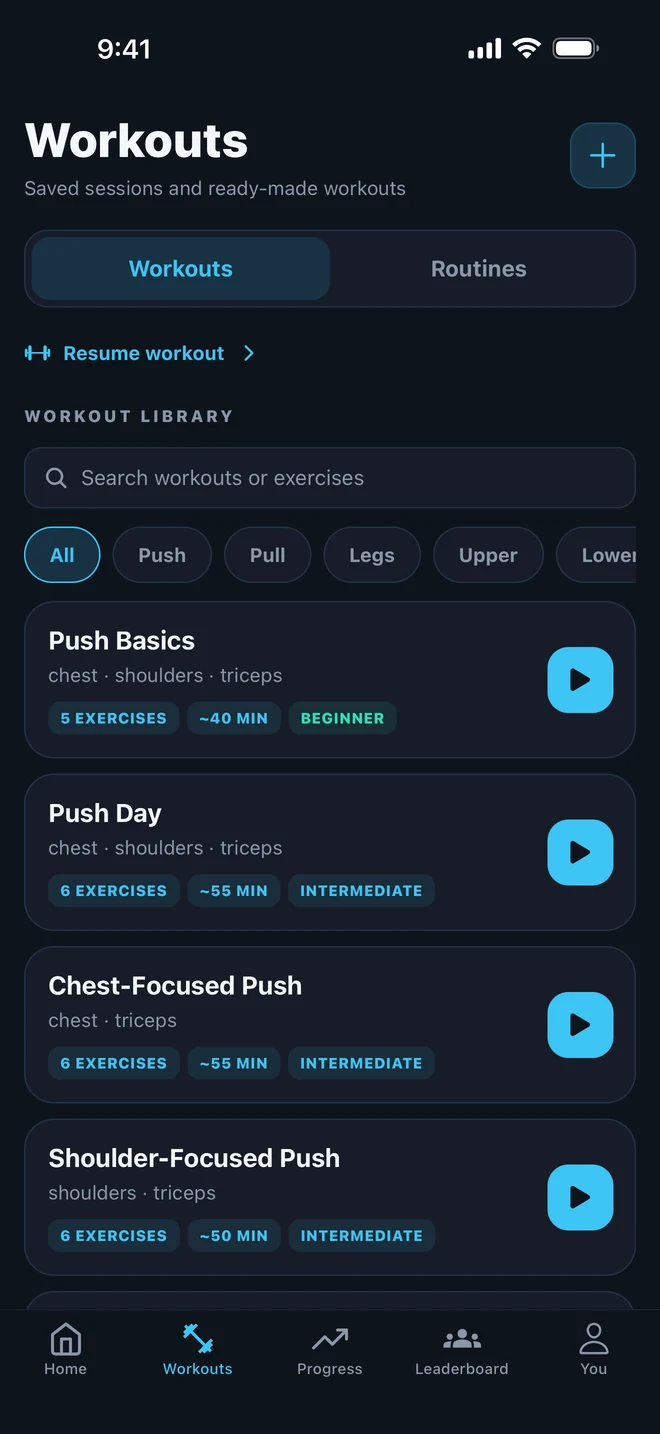
Browse workouts and routines, or create your own workout with the exercises and sets you want to follow.
WORKOUT PLANNER FOR IPHONE
Bring the workout you already love, or choose a starting point from the library. Save your sessions and organize what’s next, so you arrive with a plan you can use.

Your exercises. Your schedule. A place to keep it together.
GIVE YOUR NEXT SESSION A STARTING POINT
Browse workouts and routines, or create your own workout with the exercises and sets you want to follow.
Save your workout so you can return to it. A familiar session gives you a consistent structure without having to recreate the list.
Select a future date in Gymr and add a workout from the library. When the day comes, open the session and record the work you do.
A PLACE FOR THE WAY YOU TRAIN
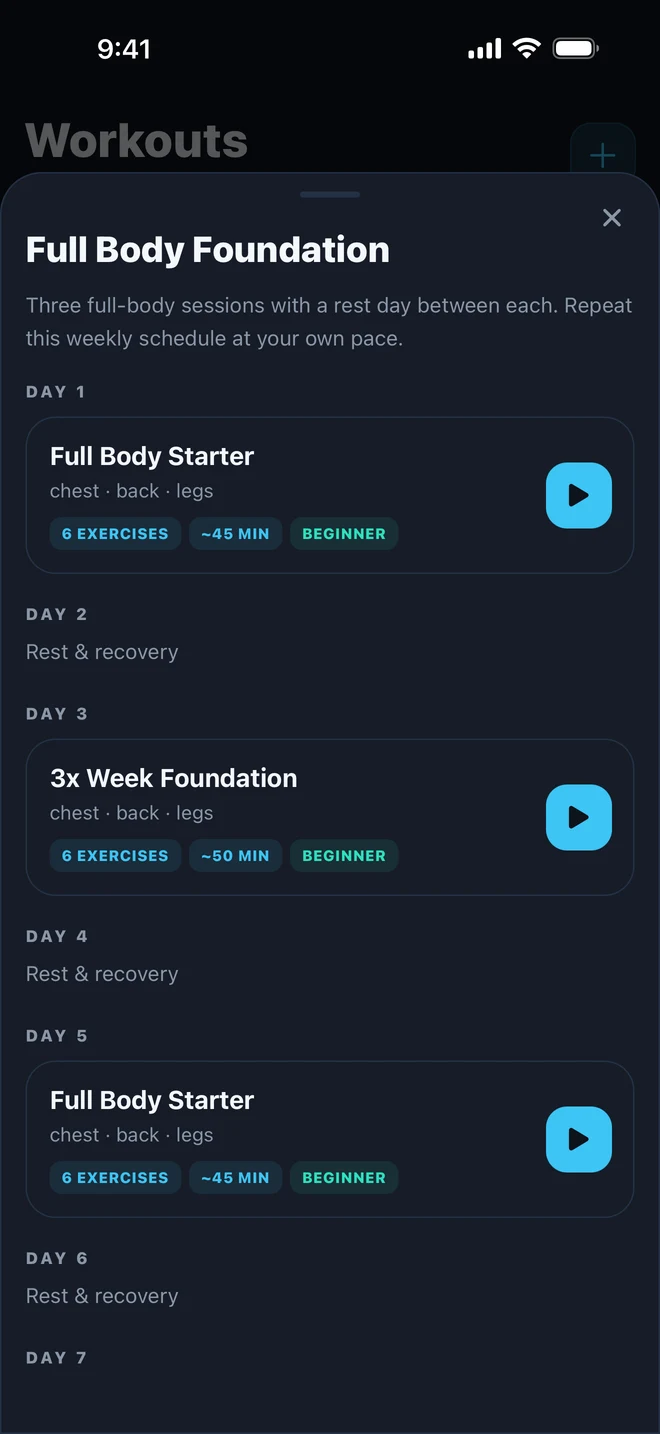
Already know your exercises? Save them as a workout. Want a little structure across the week? Browse routines with training and rest days laid out together.
Your plan gives you a starting point. During the session, record the reps and weights you actually complete, even when they differ from what you planned.
Return to your history to follow your recorded strength progress across completed sessions.
See how workout logging worksPLANNED TODAY. RECORDED WHEN YOU TRAIN.
A scheduled workout tells you what’s coming up. Your completed workout history tells you what happened. Keep both useful by logging the sets you actually perform.
The example shows how three sessions might fit around the rest of your week. Choose dates that suit your own routine.
Illustration of a schedule, not an app screenshot or a prescribed training program.
BEFORE YOU BUILD YOUR ROUTINE
Yes. Create a workout with your chosen exercises and sets, then save it to return to later. You can also browse the workout and routine library for a starting point.
A workout is a session with exercises and sets. A routine gives multiple sessions a structure across training and rest days. Gymr’s library lets you browse both.
Yes. Select a future date in Gymr and add a workout from the library. A scheduled workout is a plan for that day; it becomes training history when you do and log the session.
No. Start a free workout when you want to choose exercises as you go. Here, “free workout” means an unplanned session; check the App Store listing for current pricing and plan limits.
Scheduling alone does not record completed sets. Log the reps and weights you actually perform to build your workout history and personal progress.
Gymr is available on the Apple App Store. The listing has current device compatibility, subscriptions, and in-app purchases.
MAKE THE PLAN USEFUL AFTER THE WORKOUT
A few consistent details make your next session easier to compare.
A LITTLE STRUCTURE FOR WHAT’S NEXT
Build your workouts, organize your sessions, and keep your training on record with Gymr.